
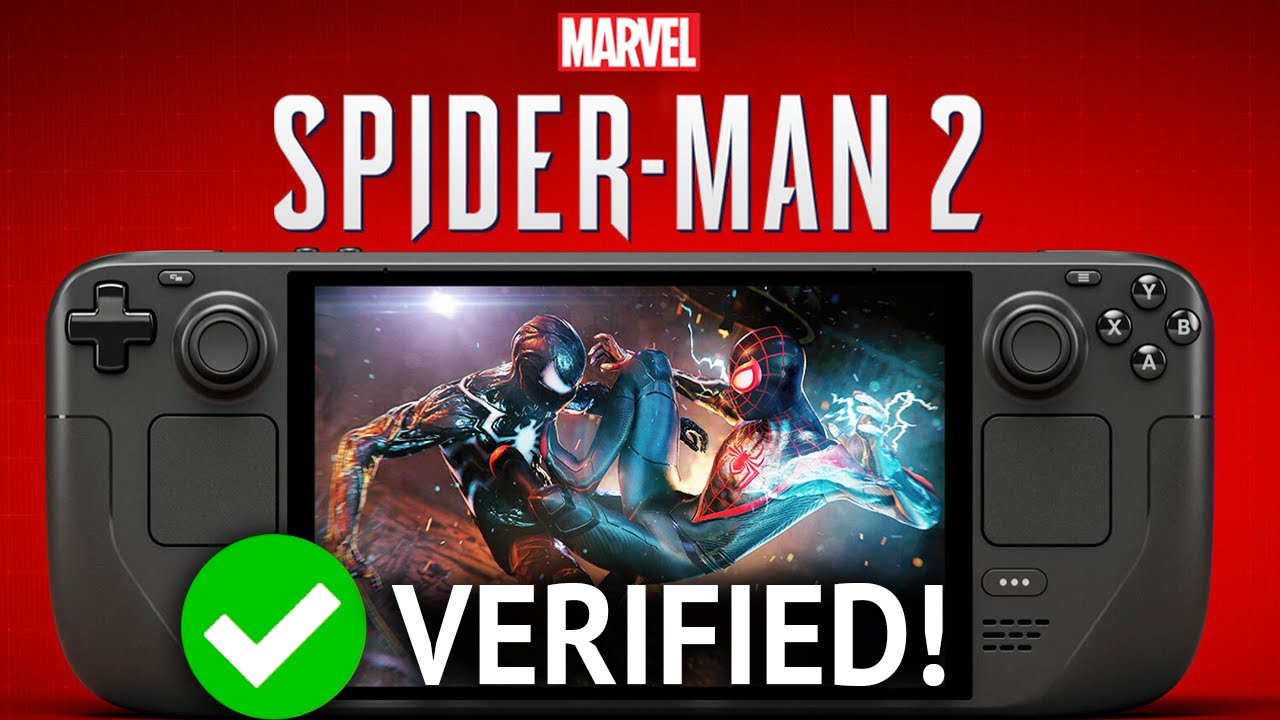
Marvel’s Spider-Man 2 Patch v1.218.0.0 Playable On Steam Deck Performance Gameplay and Settings Tested – Handheld Game Test SteamOS 3.6
❤️ Subscribe – https://www.youtube.com/@DeckWizard
❤️ Turn on the ‘🔔’ to get notifications for new uploads!
Nixxes has officially released the 3rd patch for Spider-Man 2 on PC!
Patch Notes – https://store.steampowered.com/news/app/2651280?updates=true&emclan=103582791474782794&emgid=508447074436513916
Marvel’s Spider-Man 2 Videos
Steam Deck Patch 3 – https://www.youtube.com/watch?v=Trt8I5FtW1Y
Steam Deck Patch 2 – https://www.youtube.com/watch?v=okaxYC8zzP0
Steam Deck Patch 1 – https://www.youtube.com/watch?v=143Y3J2XftE
Steam Deck OLED Patch v1.202.0.0 – https://www.youtube.com/watch?v=M8AwdjhFQLI
Steam Deck OLED Patch v1.202.0.0 – https://www.youtube.com/watch?v=Qw_G4rxxZM4
6 Handheld Comparison Test – https://www.youtube.com/watch?v=l1U_XDazad8
Steam Deck Patch v1.31.0.0 – https://www.youtube.com/watch?v=ub1317Rn2-o
Steam Deck – https://www.youtube.com/watch?v=bOPxlQMWA20
Steam Deck LCD – https://www.youtube.com/watch?v=O8iH5cgvQIQ
Steam Deck Frame Generation – https://www.youtube.com/watch?v=rkq9VM0Sz_E
ROG ALLY Z1E – https://www.youtube.com/watch?v=akPAJvjuKz8
ROG ALLY X – https://www.youtube.com/watch?v=8NmBBubwd2U
Legion GO S – https://www.youtube.com/watch?v=9N5MlhoIZCY
Legion GO – https://www.youtube.com/watch?v=L_esk0zQwi0
00:00 – FSR 3.1 Performance
01:08 – Settings
01:30 – FSR 3.1 Performance Frame Generation
03:08 – FSR 3.1 Dynamic 30FPS
04:54 – XeSS 1.3 Dynamic 30FPS
07:00 – IGTI Dynamic 30FPS
08:30 – FSR 3.1 Ultra Performance Frame Generation
Steam – https://store.steampowered.com/app/2651280/Marvels_SpiderMan_2/
“Be Greater. Together. The incredible power of the symbiote forces Peter Parker and Miles Morales into a desperate fight as they balance their lives, friendships, and their duty to protect in an exciting chapter of the critically acclaimed Spider-Man franchise on PC.”
❤️ Subscribe – https://www.youtube.com/@DeckWizard
☕ Buy me a Coffee! – https://ko-fi.com/deckwizard
🎮 Humble Bundle Partner – https://humblebundleinc.sjv.io/dOo9Oj
🐦 Follow Me On Twitter – https://x.com/deckwizardyt
💙 Follow Me On Bluesky – https://bsky.app/profile/deckwizard.bsky.social
Steam Deck OLED 1TB
SteamOS 3.6.21 Stable
4GB VRAM
Under section 107 of the Copyright Act 1976, allowance is made for “fair use” for purposes such as criticism, comment, news reporting, teaching, scholarship, education, and research.
No Games Are Included Or Added
#SteamDeck #SpiderMan2PC #Gaming
25 Comments
Marvel's Spider-Man 2 Patch v1.218.0.0 Playable On Steam Deck Performance Gameplay and Settings Tested – Handheld Game Test SteamOS 3.6
❤ Subscribe – https://www.youtube.com/@DeckWizard
❤ Turn on the '🔔' to get notifications for new uploads!
Nixxes has officially released the 3rd patch for Spider-Man 2 on PC!
Patch Notes – https://store.steampowered.com/news/app/2651280?updates=true&emclan=103582791474782794&emgid=508447074436513916
Marvel's Spider-Man 2 Videos
Steam Deck Patch 3 – https://www.youtube.com/watch?v=Trt8I5FtW1Y
Steam Deck Patch 2 – https://www.youtube.com/watch?v=okaxYC8zzP0
Steam Deck Patch 1 – https://www.youtube.com/watch?v=143Y3J2XftE
Steam Deck OLED Patch v1.202.0.0 – https://www.youtube.com/watch?v=M8AwdjhFQLI
Steam Deck OLED Patch v1.202.0.0 – https://www.youtube.com/watch?v=Qw_G4rxxZM4
6 Handheld Comparison Test – https://www.youtube.com/watch?v=l1U_XDazad8
Steam Deck Patch v1.31.0.0 – https://www.youtube.com/watch?v=ub1317Rn2-o
Steam Deck – https://www.youtube.com/watch?v=bOPxlQMWA20
Steam Deck LCD – https://www.youtube.com/watch?v=O8iH5cgvQIQ
Steam Deck Frame Generation – https://www.youtube.com/watch?v=rkq9VM0Sz_E
ROG ALLY Z1E – https://www.youtube.com/watch?v=akPAJvjuKz8
ROG ALLY X – https://www.youtube.com/watch?v=8NmBBubwd2U
Legion GO S – https://www.youtube.com/watch?v=9N5MlhoIZCY
Legion GO – https://www.youtube.com/watch?v=L_esk0zQwi0
00:00 – FSR 3.1 Performance
01:08 – Settings
01:30 – FSR 3.1 Performance Frame Generation
03:08 – FSR 3.1 Dynamic 30FPS
04:54 – XeSS 1.3 Dynamic 30FPS
07:00 – IGTI Dynamic 30FPS
08:30 – FSR 3.1 Ultra Performance Frame Generation
Steam – https://store.steampowered.com/app/2651280/Marvels_SpiderMan_2/
"Be Greater. Together. The incredible power of the symbiote forces Peter Parker and Miles Morales into a desperate fight as they balance their lives, friendships, and their duty to protect in an exciting chapter of the critically acclaimed Spider-Man franchise on PC."
❤ Subscribe – https://www.youtube.com/@DeckWizard
☕ Buy me a Coffee! – https://ko-fi.com/deckwizard
🎮 Humble Bundle Partner – https://humblebundleinc.sjv.io/dOo9Oj
🐦 Follow Me On Twitter – https://x.com/deckwizardyt
💙 Follow Me On Bluesky – https://bsky.app/profile/deckwizard.bsky.social
Steam Deck OLED 1TB
SteamOS 3.6.21 Stable
4GB VRAM
Under section 107 of the Copyright Act 1976, allowance is made for “fair use” for purposes such as criticism, comment, news reporting, teaching, scholarship, education, and research.
No Games Are Included Or Added
#SteamDeck #SpiderMan2PC #Gaming
Marvel's Spider-Man 2 Videos
Steam Deck Patch 3 – https://www.youtube.com/watch?v=Trt8I5FtW1Y
Steam Deck Patch 2 – https://www.youtube.com/watch?v=okaxYC8zzP0
Steam Deck Patch 1 – https://www.youtube.com/watch?v=143Y3J2XftE
Steam Deck OLED Patch v1.202.0.0 – https://www.youtube.com/watch?v=M8AwdjhFQLI
Steam Deck OLED Patch v1.202.0.0 – https://www.youtube.com/watch?v=Qw_G4rxxZM4
6 Handheld Comparison Test – https://www.youtube.com/watch?v=l1U_XDazad8
Steam Deck Patch v1.31.0.0 – https://www.youtube.com/watch?v=ub1317Rn2-o
Steam Deck – https://www.youtube.com/watch?v=bOPxlQMWA20
Steam Deck LCD – https://www.youtube.com/watch?v=O8iH5cgvQIQ
Steam Deck Frame Generation – https://www.youtube.com/watch?v=rkq9VM0Sz_E
ROG ALLY Z1E – https://www.youtube.com/watch?v=akPAJvjuKz8
ROG ALLY X – https://www.youtube.com/watch?v=8NmBBubwd2U
Legion GO S – https://www.youtube.com/watch?v=9N5MlhoIZCY
Legion GO – https://www.youtube.com/watch?v=L_esk0zQwi0
Patch Notes – https://store.steampowered.com/news/app/2651280?updates=true&emclan=103582791474782794&emgid=508447074436513916
How does it look with ultra performance and frame gen? Cant see much detail from the video
How its steam verified? This barely works on steam deck, its "working" only when game look's like terraria and still can't hold stable 30 fps
Could you test with FSR + Dynamic + FGOFF + Graphics on low instead of very low? and put the texture on medium, anisotropic filter on 4x and the rest on low?
valve is true crazy. 25 fps with upscaler is verified :/
Lol, this is far from Verified. Valve are nuts
Thank God I sold my steamdeck.
Oh damn, dynamic resoultion definitely seems to be the way to go for this on the deck. I can't really tell the quality of the frame times, but at least it's staying on the 30fps target most of the time.
(Note: for a game like Spiderman, even though single player, is not recommended to use Frame Gen).
This is like BG3 verified. Technically playable, but not fantastic by any means. The graphics are no where near what they should be and FPS is quite low. FPS can even drop to under 30 on occasions.
Just Hear me out ,Lower the resolution turn off upscaling and frame gen and set hte all of it low ,it will look much more better and more stable surpsingly
Guys I've played SM2 entirely on Deck Oled, not the best experience but it was totally playable in ultra low settings. Now I've tested the New Game+ with the verified patch and… WOW. The graphics and performance took a new whole level. Much much better, smooth and detailed.
Don't give attention to haters. Deck is a three year old machine now, but it still amazing.
That makes me thing that SM2 could be executed in a PS4 if developers wanted it.
Enjoy and stop hating.
This is HORRID
Why does every deck or pc handheld user prefer their game to look terrible over 30fps frame rate ? Why not have both? But if they had a choice it would be 120 fps over better visuals and a locked 60 fps any day…pc users confuse me
This looks like a mobile game
The game is heavily improved from launch. The stuttering and pauses and annoying loading are gone. It runs smooth when you have the right settings.
My only issue is this shouldn't be verified. At best its "playable" because verified means you shouldnt need to tinker with anything after installing. It means it runs a buttery smooth 60/30 frames (depending on your view) on the default graphics. Well…the default this game sets it to is high settings. Thats absolutely not smooth or buttery.
This requires a lot of tinkering in order for it to run. Playable? Yes! Verified? Fuck no.
Why not go down to 720p? Can probably get better fps and maybe make it look a little better?? I'm hoping this can get optimized like the first two, but I'm not so surethat'ss feasible.
steam deck verified..? fsr on frame gen on settings set to very low and your still in the 40s..
i really like how it looks with xess quality no dynamic res or frame gen. yes it does go below 30 but it's not gamebreaking to me. not unlike playing zelda totk/botw.
> Verified
> Instantly shows dip to 20fps
> lmao
One of the criteria for verified should be a 30fps consistent frame rate 90%+ of the time imo
For those wondering, here is proof of the game running at 60FPS: https://youtu.be/j5uWpELeJ-4
why is Mark from rdcworld1 head little?
How dare they say it's verified D: it's still looks like a 2009 game